



As a finance or credit controller, you currently send reminder emails to customers, but the same email text is used for every reminder level. This can feel too generic. For example, a first reminder is polite, but a third reminder should be stricter.
Let’s see how you can define different email texts per reminder level and language, so communication becomes clearer and better tailored to the situation!
First, you have to activate the feature.
To do so, go to Feature Management.
Here you find features that are turned off and are optional for a period of time until they are automatically enabled for all users in a later software update (BC29 in this case). This gives an opportunity to prepare in advance by enabling these features in a Test environment first.
Find Feature Update: Use new communication texts for reminder terms and select All Users in the Enabled for column.

In principle, the reminder logic remains the same, but there are some additional features which can be used.
For example, you can create a different email text for each level. To do so, open Reminder Terms and open or create a new term.
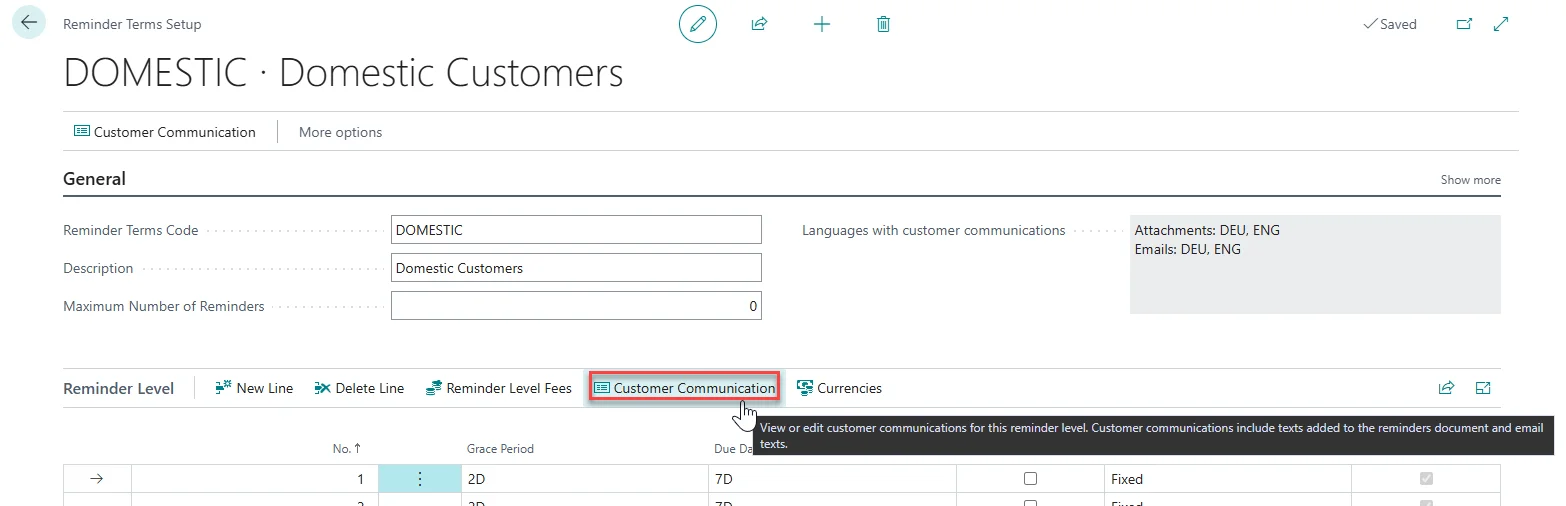
In the Reminder Terms Setup, select the Reminder Level and click on Customer Communication. Here you can set up custom texts in a similar way for each individual level. These can also be created in several languages.
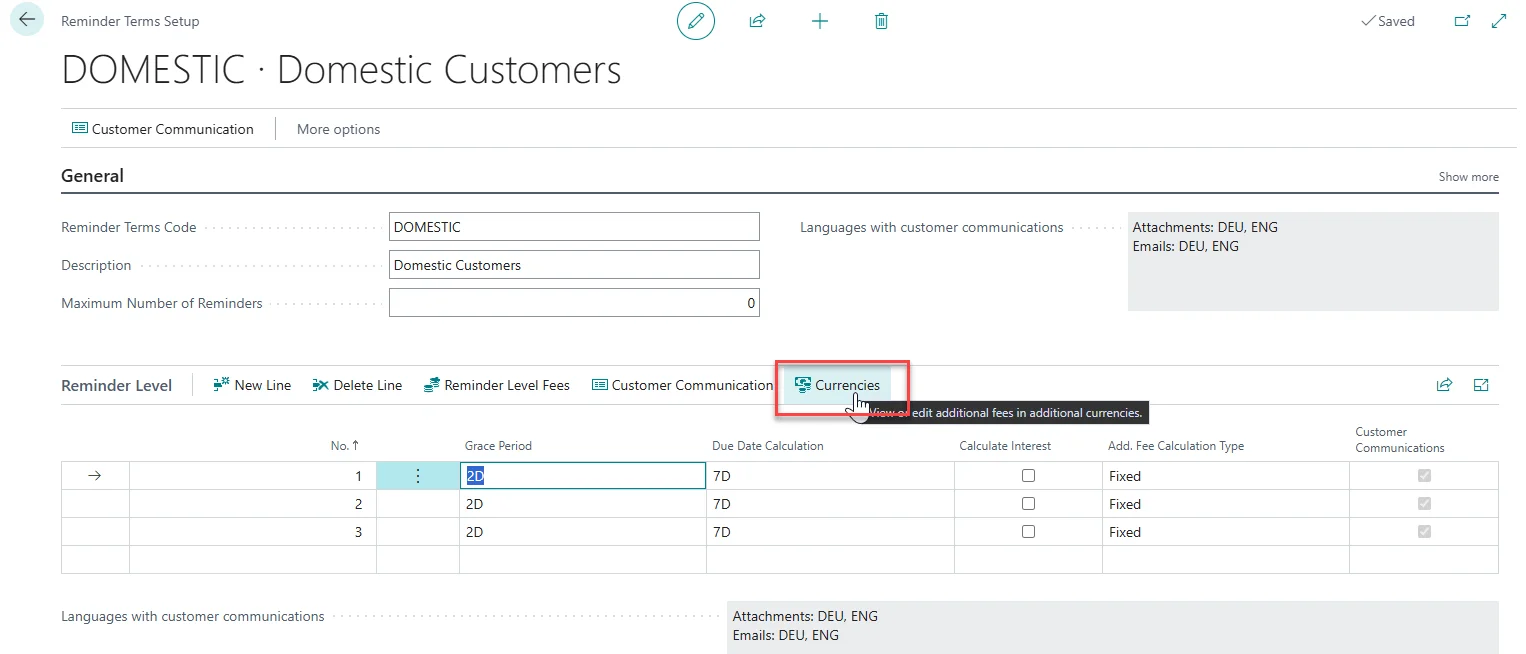
Furthermore, you can set up different additional fees, depending on different currencies. To do so, select a Reminder Level and click on Currencies.
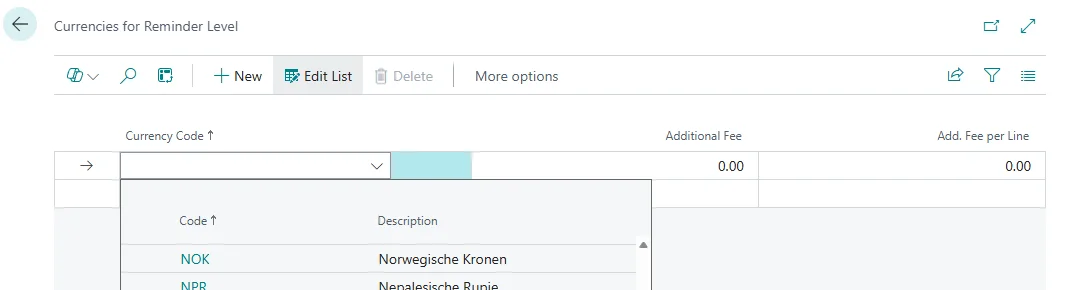
Select the Currency Code in the respective column and then enter the Additional Fee and/or Additional Fee per Line.
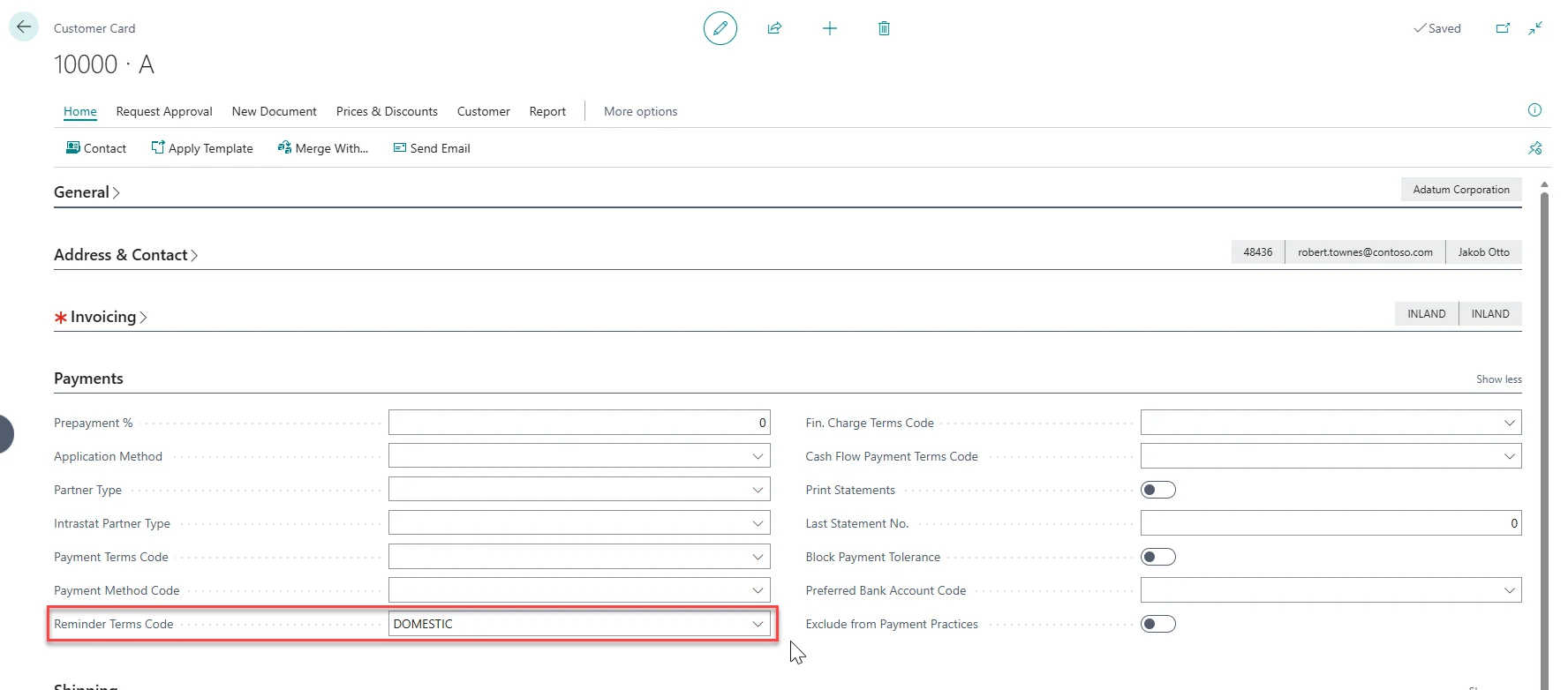
To finalize the setup, you still have to allocate the Reminder Terms Code to the Customers.
For this, open a Customer Card and choose the Reminder Terms Code of your choice in the Payments FastTab.
After setting up the new reminder terms and levels, you can create more flexible and language-specific reminder communication for each reminder level. This helps to make the reminder process clearer, more individual, and better aligned with your customer communication needs.
As this is a standard Business Central feature, there is more information available from Microsoft, like Automate reminders in collections.