



As a sales employee, you sometimes sell products that are not physically maintained in inventory. Typical examples are leftover materials which are sold occasionally or any goods that are sold on a commission basis without stock management.
In these scenarios, companies often want to prevent negative inventory and unrealistic margins while still allowing users to sell the item through standard sales processes.
Let’s see how you can make this happen!
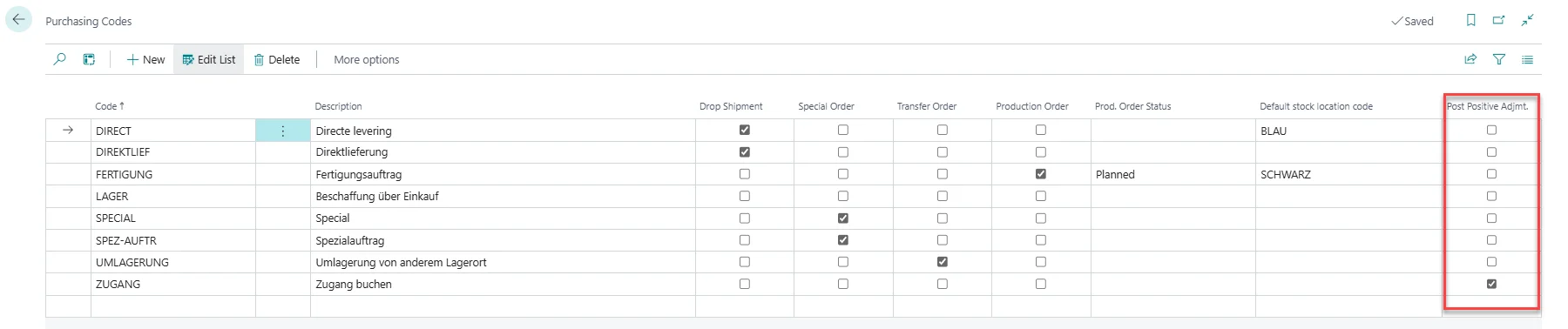
To prevent negative inventory for a non-stock Item, a specific Purchase Code should be set up for it. To create a Purchasing Code, open Purchasing Codes.
Click + New in the top menu to create a Purchasing Code.
As Code enter NON-STOCK, as Description enter Non-stock Items, and activate the Post Positive Adjmt. column.
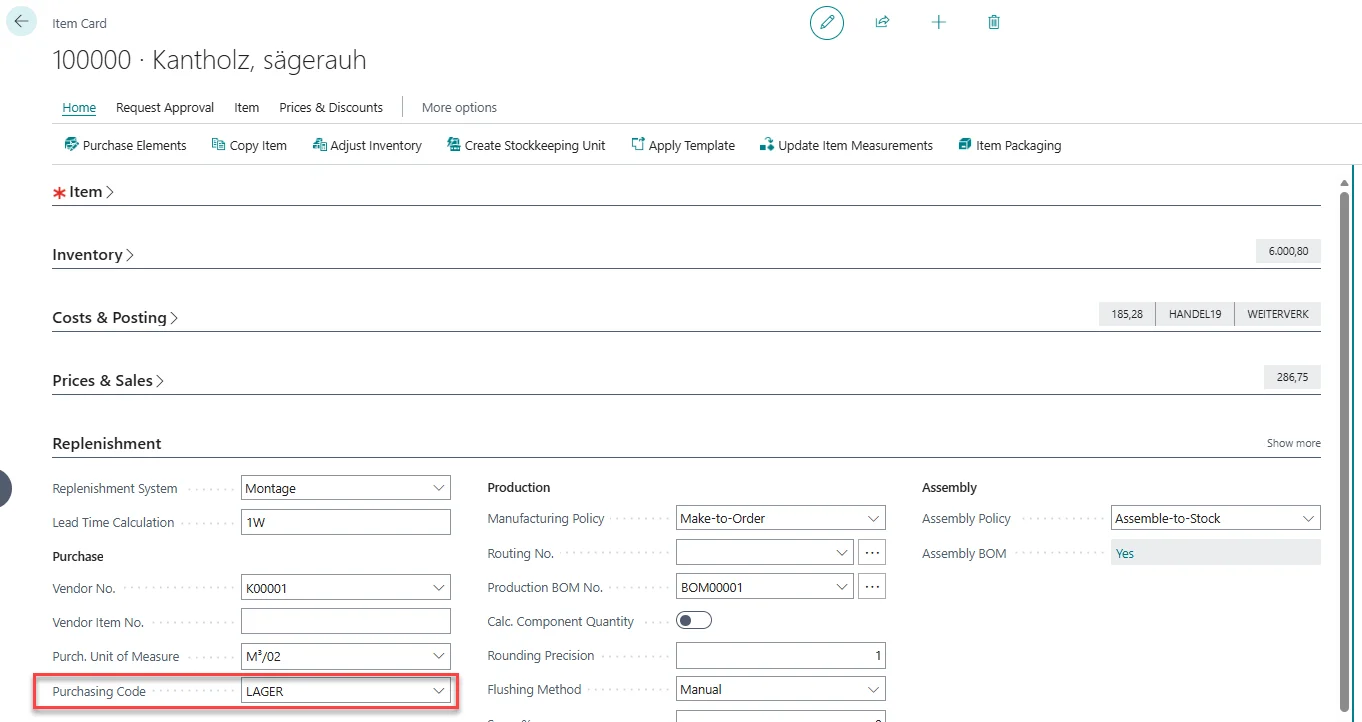
Next, assign this Purchasing Code to the according non-stock Item on the Item Card in the Replenishment FastTab. From now on, a positive adjustment is created within the same transaction as the sales posting for this Item. This ensures that inventory is available at the moment of sale and prevents negative inventory entries.
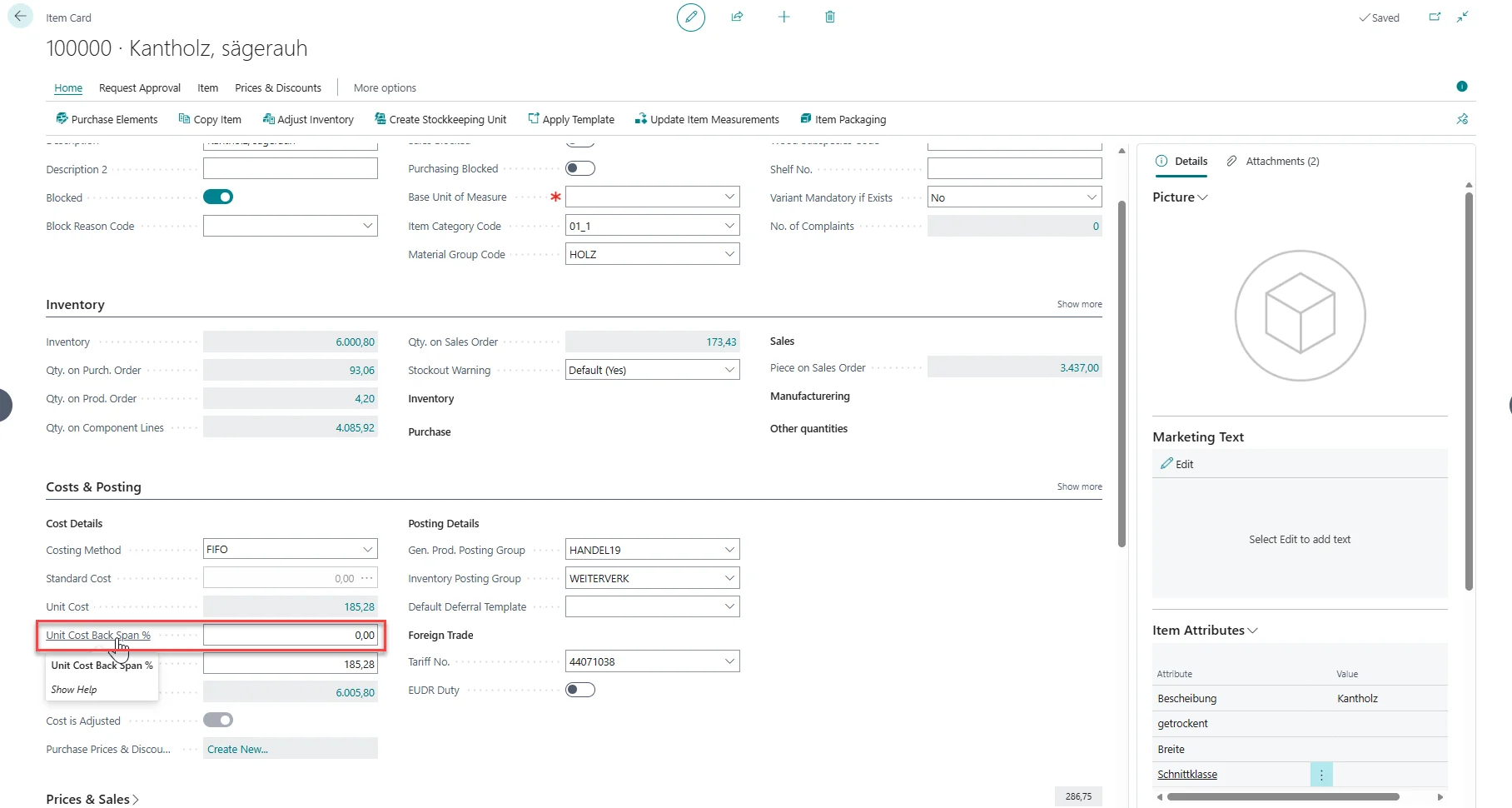
While setting the Purchasing Code prevents negative inventory, we might also want to prevent an unrealistic profit margin. To achieve a more realistic financial result, you can define a percentage for the Unit Cost Backward Calculation creating a calculated Unit Cost.
Open the according Item Card.
In the Costs & Posting FastTab you can find the Unit Cost Back Span % field. Here you can add a percentage of your choice, which will be used to define a calculated Unit Cost.
Automatic Positive Adjustment is a practical solution for items that are intentionally not managed in inventory but still need to be sold through standard sales processes.
By combining a dedicated Purchasing Code with optional Unit Cost Backward Calculation, you can prevent negative inventory, keep the sales process simple, and maintain realistic cost and margin calculations for scenarios such as seasonal products, commission sales, leftovers, or by-products.