


Customers often order items that require some time to prepare, for example because they need to be produced, specially purchased, or assembled from multiple components.
As a sales employee, you want to inform your customer as soon as the goods are ready for pick-up so they can plan the collection.
Let’s take a look at how this process works!
First, we need to set up a Shipment Method for pick-ups. To do so go to Shipment Methods.
Click + New in the top menu and fill out at least the following columns:
Next, let’s try it out. Open Sales Orders and create a new Sales Order.
In the General FastTab, fill out all the mandatory fields and select PICK-UP in the Shipment Method Code field.
Enter the pick-up date in the Requested Delivery Date field.
Check the content of the Shipment Date (Text) field. When selecting the Shipment Method PICK-UP, this field is automatically filled with Requested Pickup Date.
Now we want to inform the Customer that the Sales Order is confirmed. To do so, click Print/Send and Print Confirmation in the top menu.
As you can see, the address label in the Order Confirmation automatically changes to Pick up at:, and the address of the assigned Location is displayed.
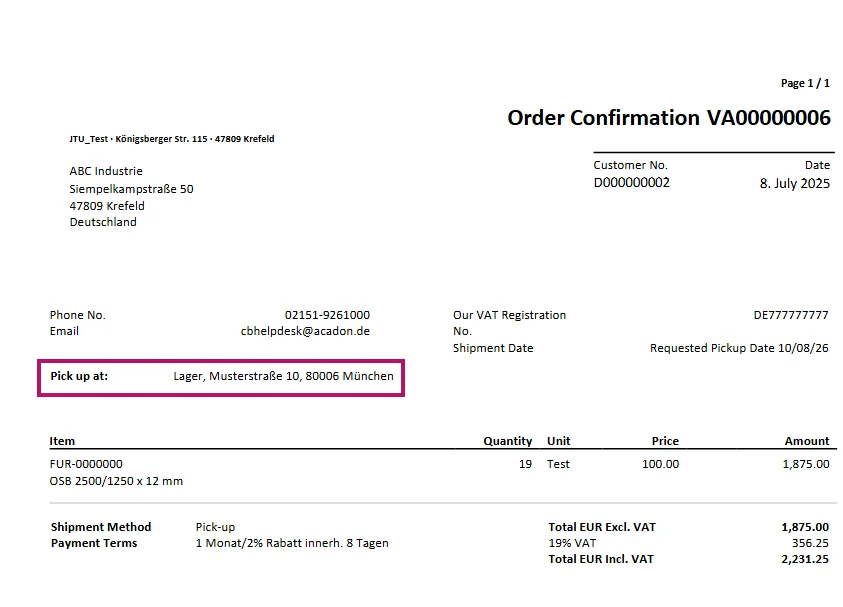
When the Sales Order is ready for pick-up, you want to inform the Customer. To do so, click Actions > Functions > Send Pick Up Notification in the top menu.
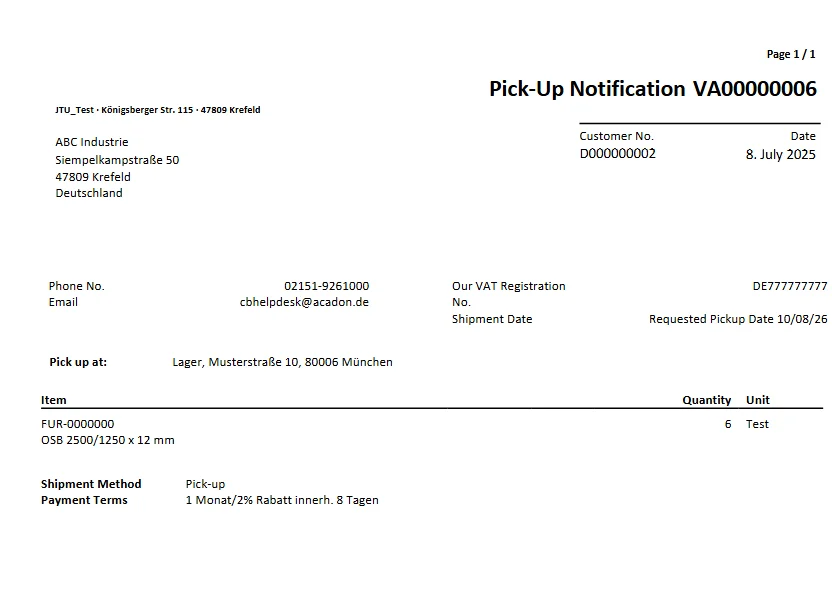
By using a Shipment Method Code with the Pick Up Type Pick Up, a document automatically adjusts and displays the pick-up address. Using the Send Pick Up Notification function, you can directly inform your customer that the goods are ready for pick-up. This makes the entire pick-up process clear and easy to understand without requiring manual adjustments in the document.