



Previously, companies often handled the creation and modification of bank accounts through a non-digital approval process. Alternatively, permissions had to be restricted so that only selected employees, such as the finance manager, could maintain bank account information. This provided control but also placed the entire administrative workload on a small number of users.
Let’s see how this can be handled more effectively!
First, you need to open the Approval User Setup.
In our case, ACADON-2 can approve as much as he wants.
ACADON-3 needs to ask ACADON-2 for approval.

Open Workflows and click New Workflow from Template in the top menu.
Here, you can choose the Customer Bank Account Approval Workflow.
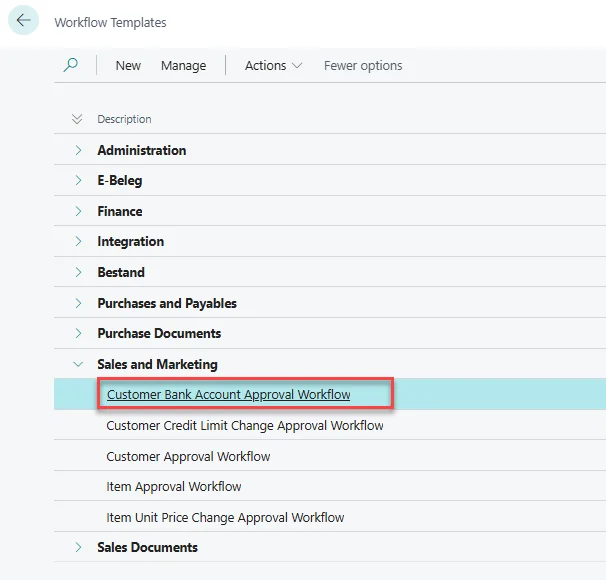
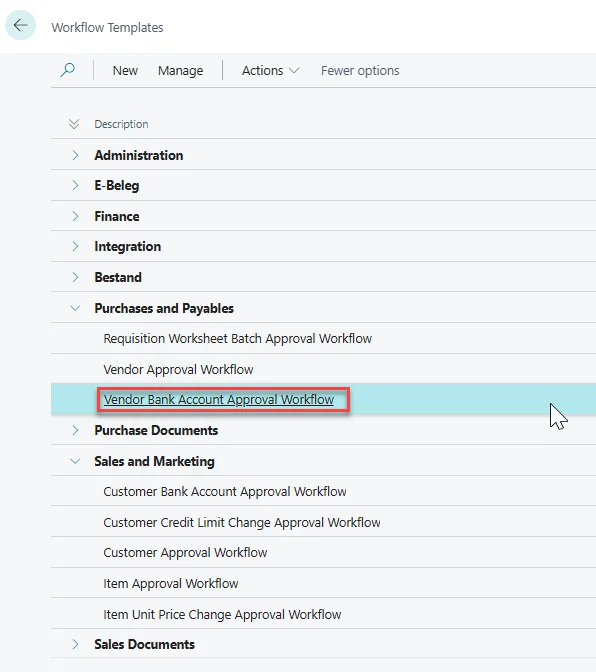
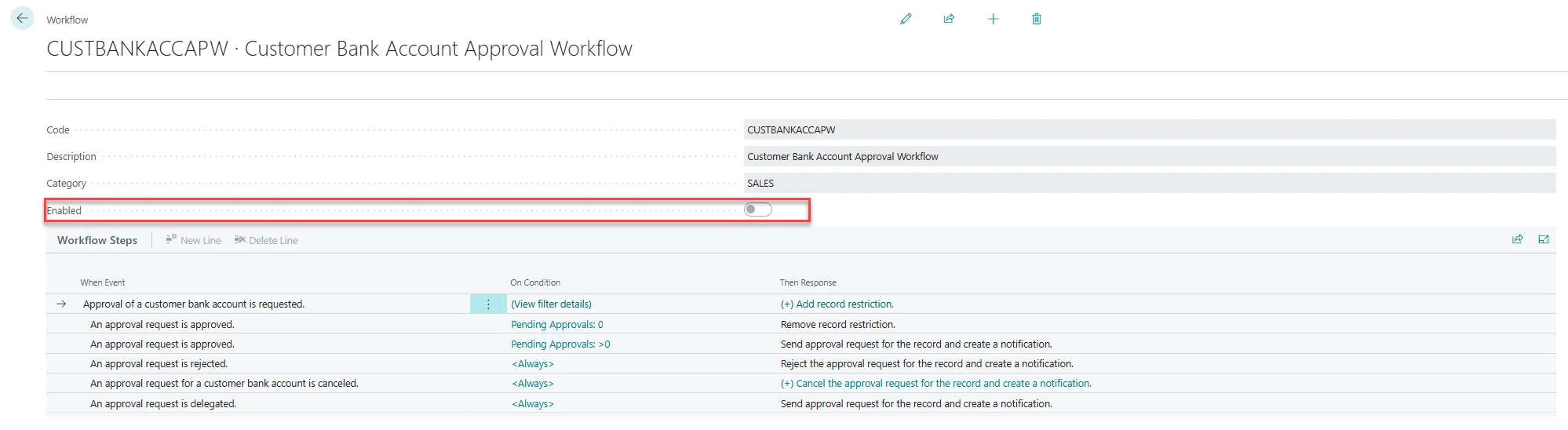
Now, you just need to Enable the Workflow and the setup itself is done.
To start using it, go to Customers, open the Customer for which you want to add a new bank account and click on Customer > Bank Accounts to open the Customer Bank Account List.

Now, click on + New.

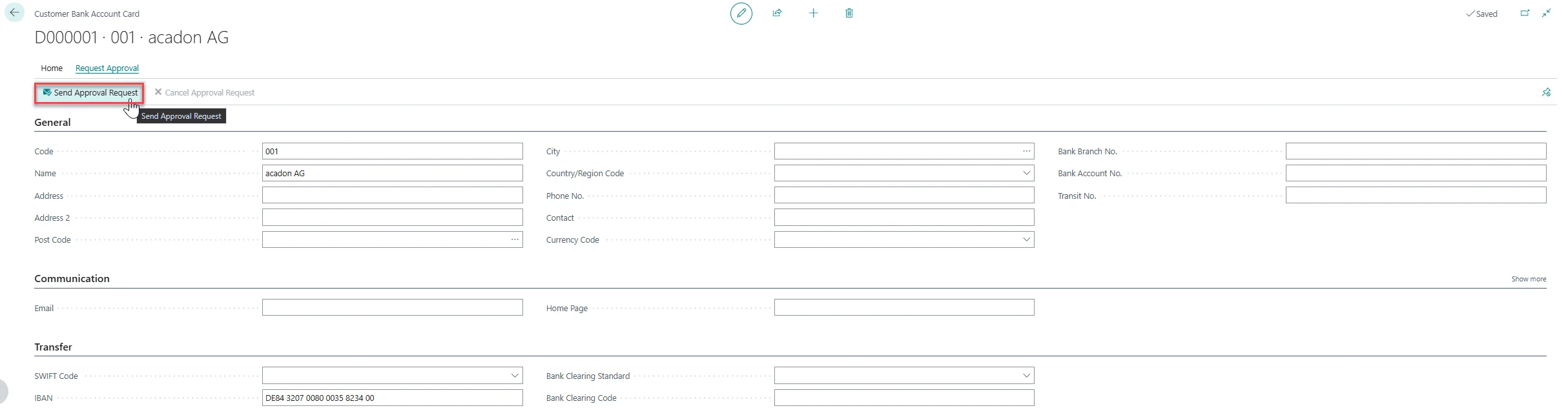
Here, you need to fill out the information and click Request Approval and Send Approval Request in the top menu before being able to use the Bank Account.
The user who needs to approve this change, can open the Approval Entries page. This list shows all of the open Entries. By clicking on Record, you can review the Request.

After reviewing, you can then decide on the action you want to take and click on it under Approve in the top menu.

The standard workflow template provides a simple way to introduce an approval process for customer or vendor bank accounts. The new workflow replaces a manual process with a standardized approval procedure in Business Central. Data entry can be delegated to (multiple) users, while the final decision remains with an authorized approver.
As a result, the manager no longer needs to create every bank account manually. At the same time, the company maintains control over sensitive changes and can clearly assign responsibilities within the system. The workflow can be used for customer bank accounts and, with the corresponding template, for vendor bank accounts as well.
As approval workflows are a standard Business Central feature, there is more information available from Microsoft as well, for example: Using approval workflows – Business Central | Microsoft Learn