



As a sales representative, you often create sales quotes in advance. Sometimes a customer gets back to you weeks or even months later and wants to use the quote after all. During this time, the unit costs of items may have changed, while the sales quote still contains the original values.
With the new Refresh Unit Cost feature, you can update an existing sales quote to the current cost level with just a few clicks. This allows you to quickly reuse the quote without having to recreate it or manually adjust individual lines.
Let’s take a look at how to update unit costs in a sales quote!
Go to Sales Quotes and open an existing one, for example a quote that was created some time ago.
In the top menu, click Prepare and Refresh Unit Cost to recalculate the current unit costs.
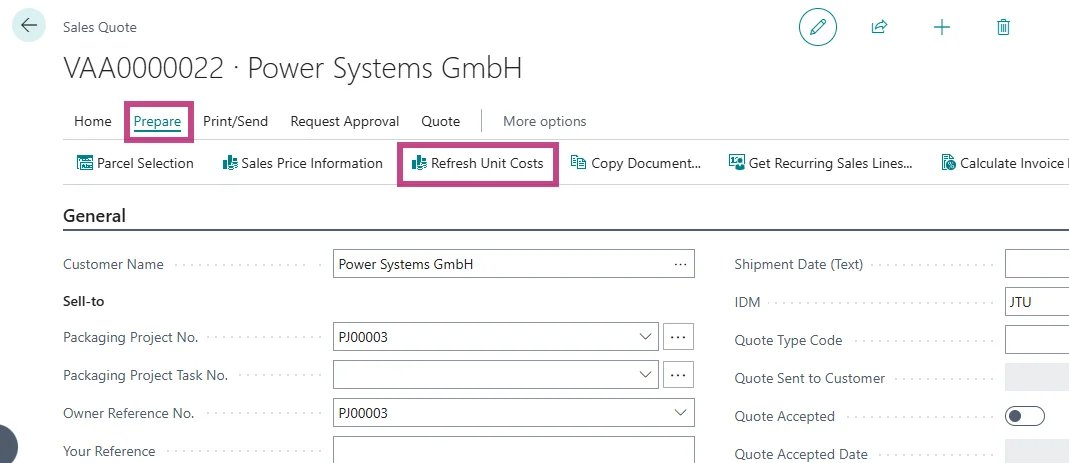
The Unit Costs of all lines in the Sales Quote are updated based on the currently valid Item Unit Costs.
With Refresh Unit Cost, you can quickly bring existing Sales Quotes up to date with current costs and reuse them right away. This saves time, avoids manual adjustments, and allows you to respond flexibly when a customer decides later to proceed with a quote.