



As an IT administrator, you want to better understand how Dynamics 365 Business Central is actually used. Often, the question arises whether all user accounts are used regularly or if some licenses are rarely used.
With the standard Register Time feature in Business Central, you can track how long users are logged in per day. This information helps you better evaluate actual license usage without using external tools or custom solutions.
Let’s take a look at how you can enable this feature and review the recorded data!
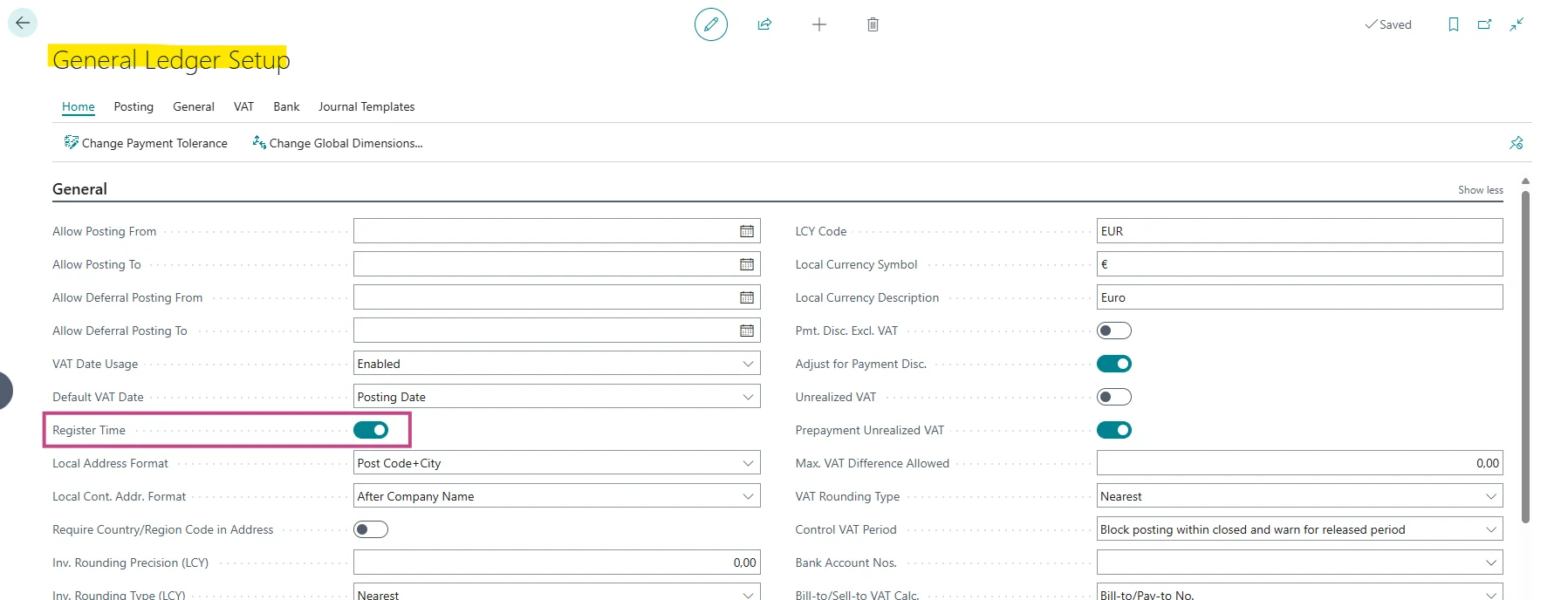
Open General Ledger Setup and enable Register Time so Business Central can record user login duration in general.
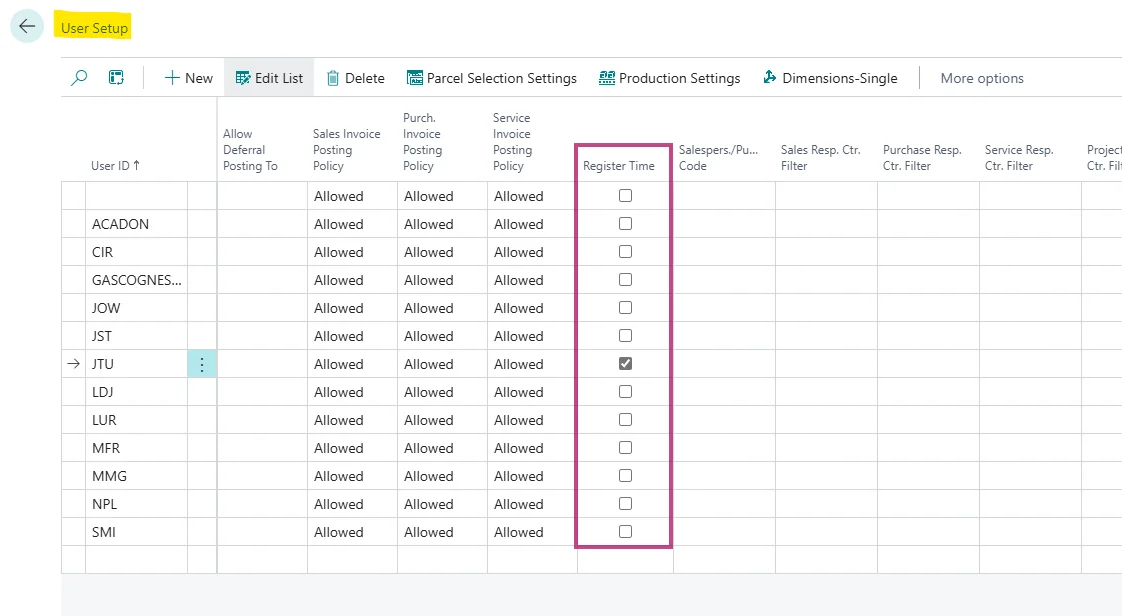
Open User Setup and enable Register Time for the users you want to evaluate. The setting must be activated both globally and per user.
Let users work in Business Central as usual. The system now automatically records the time from login to logout.
After some time, open User Time Registers and review on which day a user was logged in and how long Business Central was open.

With the Register Time feature, you get a simple overview of how long users are logged in to Business Central. The User Time Registers help you better assess actual user and license usage and support informed decisions about license allocation.